A collection management system earns its place when it makes an artwork’s story easier to retrieve. The screen is the visible surface. Underneath it sit a more consequential set of decisions: which record to trust, who may change it, and what remains usable when the owner needs to share or move information.

Start with a complete object
Artlogic presents its collector management platform as a place to organise artworks and their related information. Its official materials describe records for provenance, documentation and location. Those are useful capabilities to investigate, but a published feature list is not a test of the system with a particular collection. This article reads the proposition and proposes a demanding demonstration brief.
Choose one artwork whose paperwork is imperfect. Include an invoice, a previous description, two image files and a question that has not yet been resolved. Ask the demonstrator to show how those elements remain related without flattening them into a single confident narrative. A useful record should allow an owner to preserve what is known while keeping uncertainty visible.
The complete object is also a better starting point than a feature tour. Searching, attaching a document and sharing a view mean more when they concern the same record. Follow it through the proposed working day: an assistant adds a file, an adviser requests information, and the owner reviews the result. That is an editorial test scenario, not a claim that we have executed these operations in Artlogic.
Design the work around the people
Before discussing seats or subscriptions, identify the people who will actually use the records. An owner, collection administrator and external adviser may have different responsibilities. Ask the supplier to explain the permission arrangements available in the proposed plan, how those arrangements are administered and what happens when a person leaves the project.
Request a demonstration that includes a correction. A system looks effortless when the data is perfect. The more revealing question is how the team notices an incorrect location or an outdated description and records the change. Ask what history is available and what must be maintained through the collection’s own procedures. Do not infer an audit capability from the existence of an edit button.
There is an equally practical question about adoption. Decide which tasks the collection team will stop doing elsewhere if the system is introduced. If every entry must still be repeated in another unmanaged spreadsheet, the project has added a screen without resolving the source of truth. A written responsibility map can be more useful than an ambitious initial import.
Sharing should follow the question
Artlogic also presents tools for showing works to selected audiences. That creates an attractive connection between administration and presentation, but the owner should decide the purpose of each disclosure. A prospective borrower, an insurer and an interested family member do not necessarily require the same packet of information. Ask how the supplier’s tools support the boundaries you need.
Inspect a proposed shared view as the recipient would see it. Which images are visible? Which documents can be opened? Does any location or value information appear unexpectedly? These are questions for a live demonstration with non-sensitive sample data. They should be settled before a real collection is entered or a link is circulated.
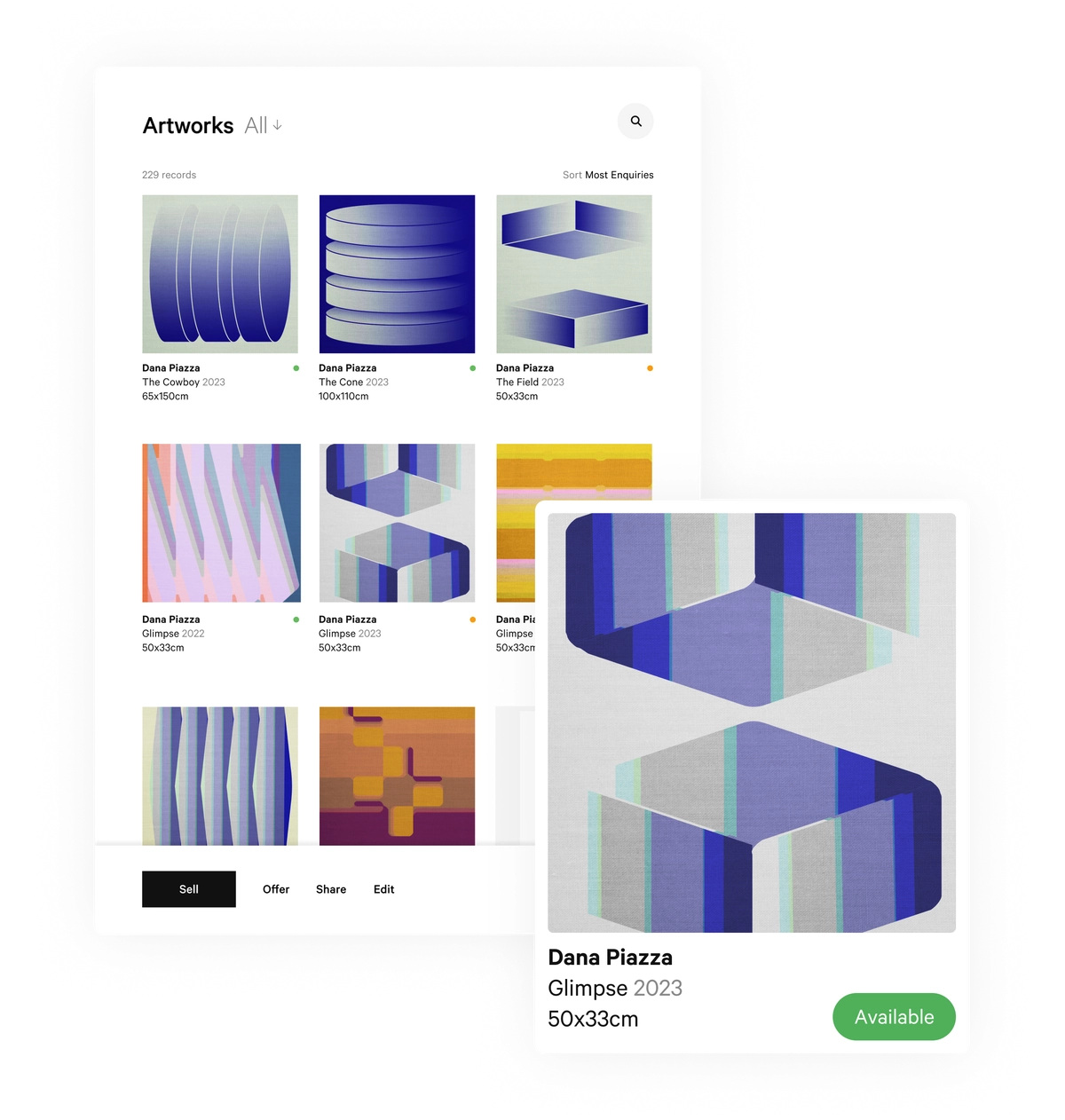
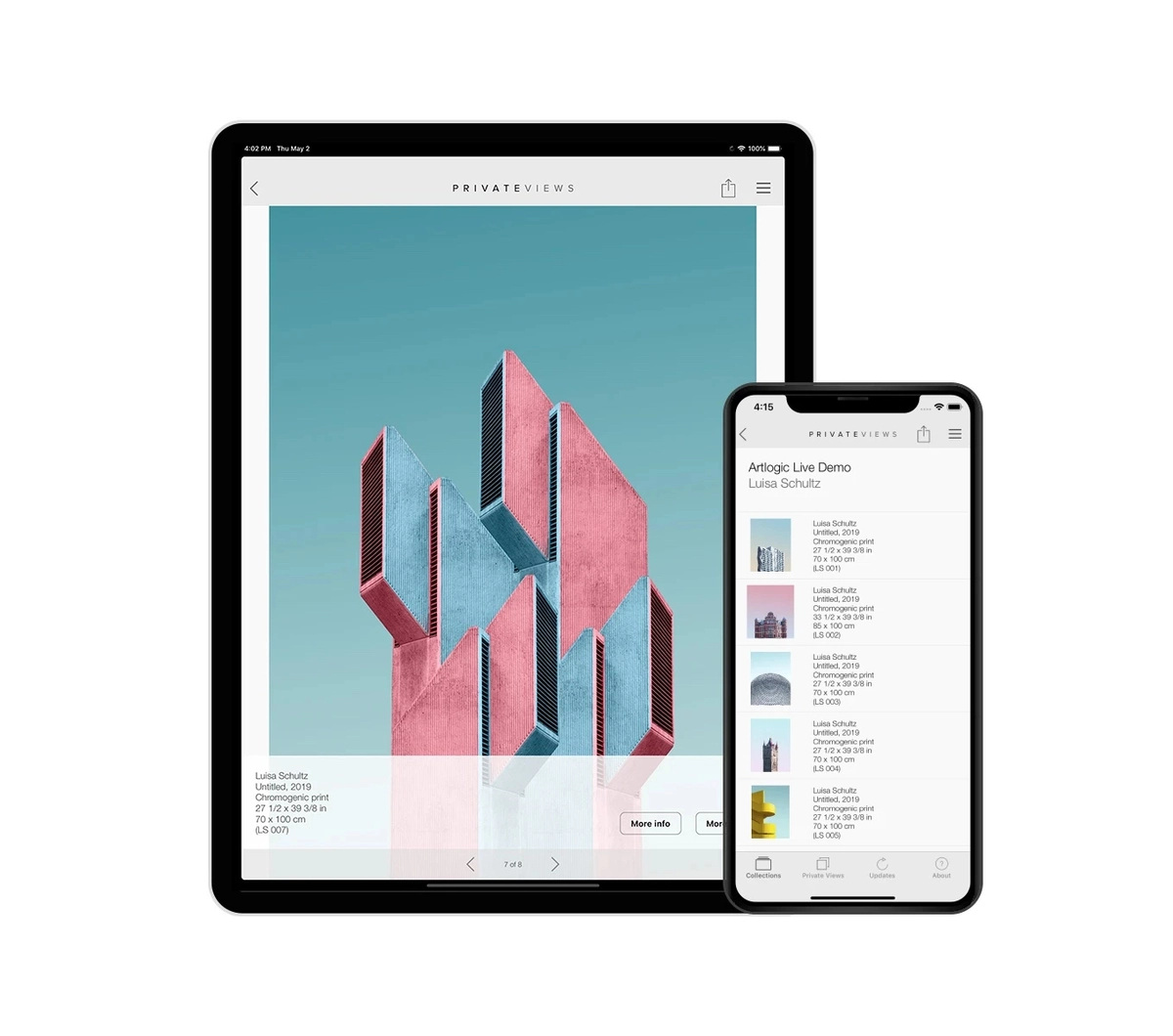
The official interface visuals shown here are supplier illustrations. They make the distinction between an inventory view and a presentation view tangible, but they do not establish the current configuration of a purchased account. The final commercial proposal and demonstration should identify the actual plan, features and setup services under consideration.
Ask for the departure as well as the arrival
| Demonstration task | What the owner is trying to learn | Evidence to request |
|---|---|---|
| Create one complete record | Whether files retain their context | The resulting object record |
| Correct an entry | How errors and changes are handled | Available history and procedure |
| Share a limited packet | What a recipient can actually see | Recipient view with sample data |
| Export the sample | What remains usable outside the platform | Exported data and document files |
| Change an administrator | How continuity is maintained | Written access and support process |
An export deserves particular attention. Ask what is included, which file types are provided and how attached documents are related to the exported entries. Then open the sample outside the platform. This is not a prediction about any supplier’s shortcomings. It is a way to make portability an observable purchasing requirement rather than a reassuring word in a meeting.
Discuss migration as a separate piece of work. Existing titles, dimensions and object numbers may require reconciliation before import. Decide who approves those decisions and how rejected or uncertain entries are returned for review. A clean import should not mean that inconvenient differences have disappeared without explanation.
A collection system is a continuing practice
The first month should have a modest definition of success: a representative set of accurate records, an agreed workflow and people who know their responsibilities. Add complexity only when it serves a real task. A small collection can be administratively demanding; a larger one can remain coherent if the working rules are clear.
Ask about support in the terms of your own team. Who answers an import question? Who helps with a departing administrator? Which services are included and which require a separate engagement? Record the answers in the proposal. The relationship matters because the record will outlive the first demonstration and may need to survive changes in staff, advisers and ownership arrangements.
The Luxe Digital view
Choose collection software by following one object through its full administrative life. Artlogic offers a relevant proposition to examine; the decisive work is establishing how that proposition fits the owner’s records, people and exit requirements. A convincing screen opens the conversation. A coherent demonstration makes it useful.
Choose collection software by following one object through its full administrative life.
Sources & credits
Sources and methodology
Independent editorial analysis of the identified primary records and official imagery, checked on 15 October 2026. Project and product descriptions are attributed to their publishers; commissioning frameworks, hypothetical scenarios and editorial judgements are LuxeDigital’s own analysis. We did not visit, purchase, test or audit the illustrated installations, services, software or passport flows. The scope is general editorial information. It does not establish private ownership, authenticity, condition, insurance cover, personal suitability or a provider’s future performance. Images retain their identified subject and context; illustrative product photographs are not private collection evidence.